Posts

Bend Sensor- Initial iterations and testing

Image
This is the video of the bend sensor designed at the lab for a project on 'Sensor based systems' course at KTH. This is the initial testing of the first such sensor made. The final demonstration:  Left hand controls the down-motion (brake) and the right hand controls the acceleration (move forward). Focus of the project was on the sensor-characterization and testing them for repetability, precision etc. In the video, you can see the Sensors in action. The small green board is the USB keyboard driver board, scrapped from an old dell keyboard. The blue components are solid state relays. 
A totally random robotics experiment

Image
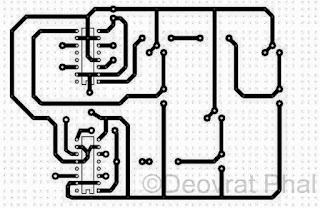
RF Module (Tx, Rx), LDR's, L293D, PCB manufacturing kit (to design PCB at home), Basic robot chassis Plan was to control the robot using LDR's basically a light operated robot kinda thing. The driver part was designed and fabricated at home. The PCB layout of the driver part The etched PCB board PCB board with components The controller part with LDR and RF module All parts attached  

Happy Diwali (The Engineers way)

Image
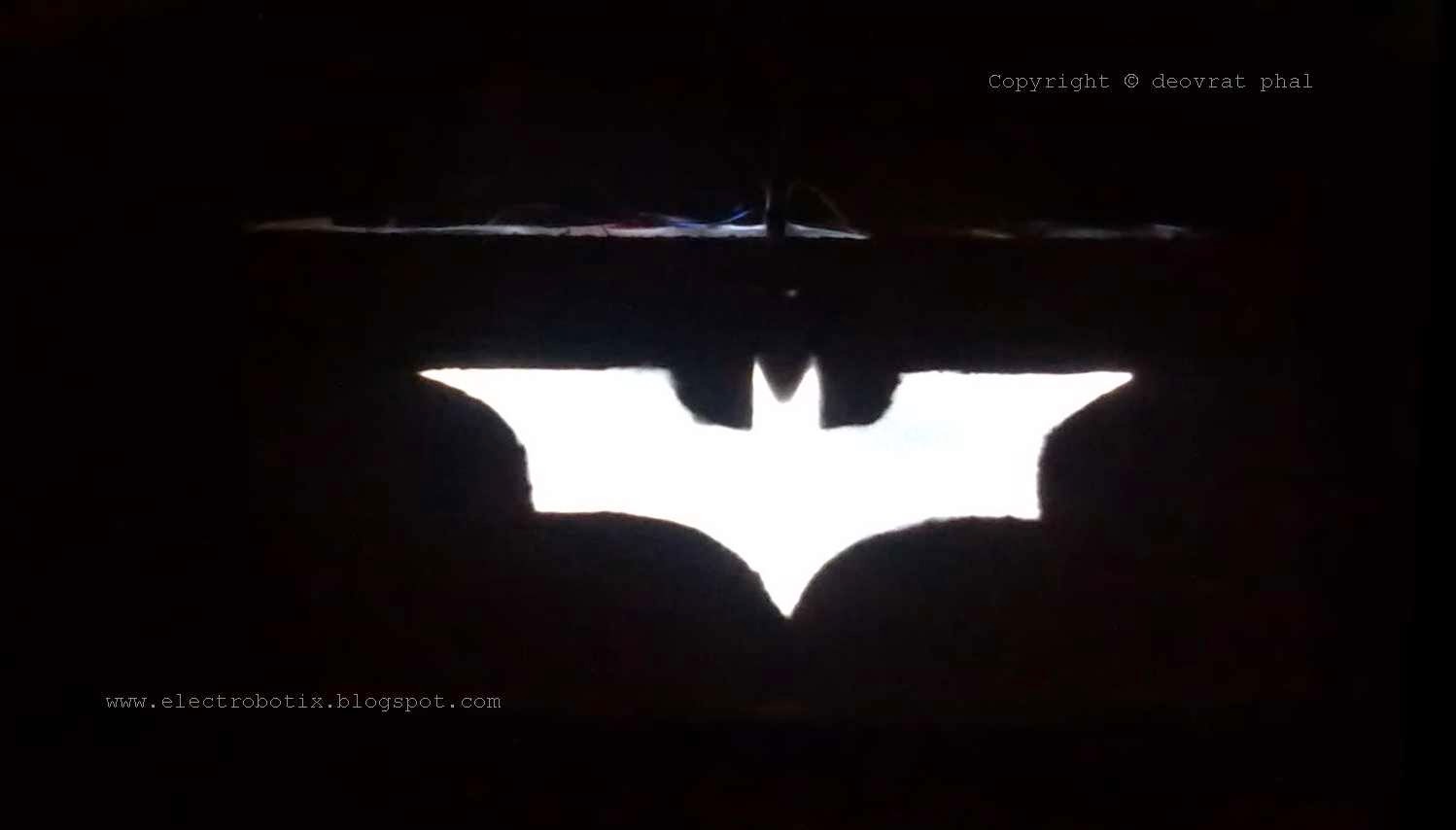
Its Diwali- the festival of lights! And speaking of lights, I thought that making a LED project would be a best tribute to Isamu Akasaki, Hiroshi Amano and Shuji Nakamura for their 2014 physics Nobel Prize. So its just a small LED project. Lets summon the Batman this Diwali !! The Bat-lantern in action ! To avoid the intricate circuitry I used a 12V SMPS adapter and a 5V regulator with two capacitors at input and output. Five LED's seems to work perfectly to make the bat-signal . The logo which I used is the one from 'The Dark Knight' movie. And the result was- a super awesome Bat-Signal-Lantern. Happy Diwali !!

Interface for Advance Robotic Controller (iARC) Version 1.00 & 2.00

Image
Difficulty Rating: 7/10 GUI Design: VB.NET Microcontroller Board: ARDUINO Duemilanov (AtMega 328) Features: Speech Commands, Text commands, Button Commands, Fully Autonomous Mode Used for: Robotic Car (iARC V1.00), Robotic Arm (iARC V2.00) The GUI is designed on Microsoft visual studio 2010 using VB.Net. The commands are serially sent to the ARDUINO Duemilanove, which controls the Robot car. The baud rate is set to 57600bps, which can be changed as per the user convenience.  I've also added a "Serial communication tester button" to ensure the flawless communication. It simply lights a LED when the serial communication takes place. Properties used to build the code: Baudrate: To set Baud rate Eg. 9600, 57600 Databits: Standard length of databits per byte Encoding: Byte encoding for pre and post transmission of conversion of text Handshake: Handshaking protocol for serial communication IsOpen: V alue indicating the open or closed status of the  Serialp...

A Text to Speech App using VB.NET (Microsoft Speech API)

Image
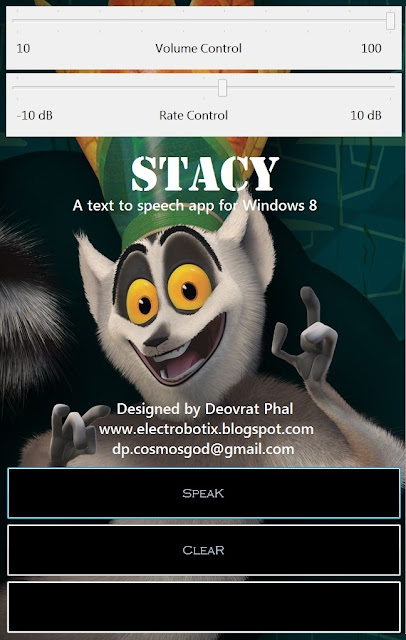
[Software Project] Difficulty Rating: 4/10 GUI Design: Microsoft Visual Studio 2010 software package. Back-end program: VB.NET This is a simple text to speech App designed using Microsoft Speech API. The SAPI is heart of this program (backend). I've added a few features like volume control, speaking rate control and an option to save the speech. The speech can be saved in any file say, mp3 or wav. Eventually, what we have, is a female computer generated Robotic Speech . SAPI.Volume = TrackBar1.Value This will control the volume from 10 to 100 in the steps of 10. Properties can be changed as per our convenience.  SAPI.Rate = TrackBar2.Value This will control the speed of speaking. Again properties can be changed as per our convenience.  For those having Resolution 1920 x 1080, Download STACY: Click here You will also need Microsoft .NET Framework 4 Web Installer Download it here: Click here Enjoy!!

YAW8: Yet another Windows 8 (Using Microsoft Visual Studio 2010- Express )

Image
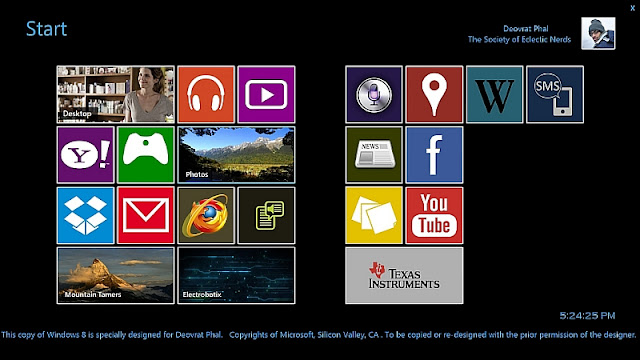
Made some changes to the previous version of my VB based Windows 8. More space for adding extra apps!! Added a fully customized web browser and a search engine. Also developed a dedicated Speech recognition tool and a text-to-speech application. From now on, my computer reads the e-books for me!! Henceforth don't let Microsoft rule your life. Make your own Windows 8 and make your own applications. Soon to be made available here for download (Demo Version) Stay tuned, More to come.

Windows 8 Metro Apps on Windows 7

Image
Difficulty Rating: 5/10 [Software] Don't have a Windows 8? Make one for your own, on Windows 7 itself!! I made this using VB.  Serves the purpose, right? It gives me full command over these apps (Metro apps). I have kept these apps enabled with a password. The User/Guest can access the destination path only if the password is correct. A different destination path is set for wrong password entries !!! Well, I don't wanna offend Microsoft by any means, but come on!! Make your own interface instead of using a pirated version of Windows 8   Here's the video. Hope you like it.                                    Soon to be available here for download. Enjoy!!